
Spotting what you have already worked
See at a glance which stations and references you have already worked, which spots are of your callsign and which spot your radio is on.
Free and ProUpdated for HamQSO 0.1.19
On this page
In the spot lists HamQSO compares every station with your log: a small badge tells you whether you have already worked it, the spots you have nothing more to gain from turn grey, the spots of your own callsign say «It's you» and, with a connected radio, the spot you are on lights up in green.
How HamQSO compares spots with your log
The comparison runs by itself in every list: DX and xOTA (POTA, SOTA and WWFF). There is nothing to turn on: the badge changes as soon as you save, import or delete a QSO, and when your log arrives from your other devices.
- In Log, choose the operation in use (see Organizing your operations).
- Open DX or xOTA.
- Log the QSO as usual: the spot of that station shows its badge right away.
What counts depends on the operation in use:
- With an operation in use: the stations worked in that operation, on any day, and the references done today (UTC) in that operation.
- Without an operation in use: only the stations worked today (UTC), in any operation. References do not count.
The band is the one of the spot's frequency. Modes are compared by family: USB and LSB count as SSB, FT4 as MFSK. On a spot without a mode, any QSO on the same band counts. Callsigns are compared without prefixes and suffixes: JA1XYZ/P is JA1XYZ.
What the badges say
The badge sits in the badge row of the spot, after the reference and the other details. Green means there is nothing more to gain there; grey means you already have the station or the reference, but a new band may still be worth a call.
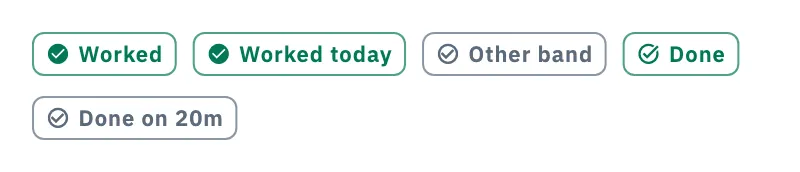
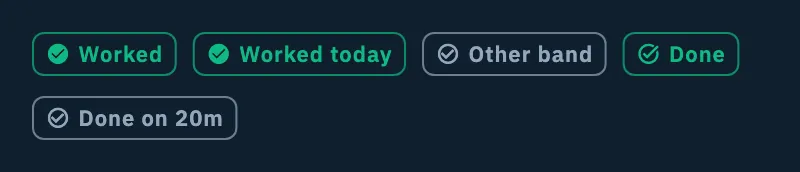
| Badge | When it appears | Color |
|---|---|---|
| Worked | You have already worked the station on this band and mode, in the operation in use. | Green |
| Worked today | No operation in use: you worked the station today (UTC) on this band and mode. The spot stays normal, because you can work it again. | Green |
| Other band | You have already worked the station, but on another band or in another mode. | Grey |
| Done | The spot's reference is already done today (UTC) on this band, in the operation in use. With several references (an n-fer) it appears only when you have done all of them. | Green |
| Done on 20m | The reference is done today in the operation in use, but only on other bands, listed in the badge. | Grey |
On a spot with a reference, if the station is worked but the park, summit or area is not done today yet, you see Worked and the spot stays normal: the reference still counts. Screen readers read the full sentence, for example «Reference already done today (UTC) on this band, in the operation in use».
Spots already done
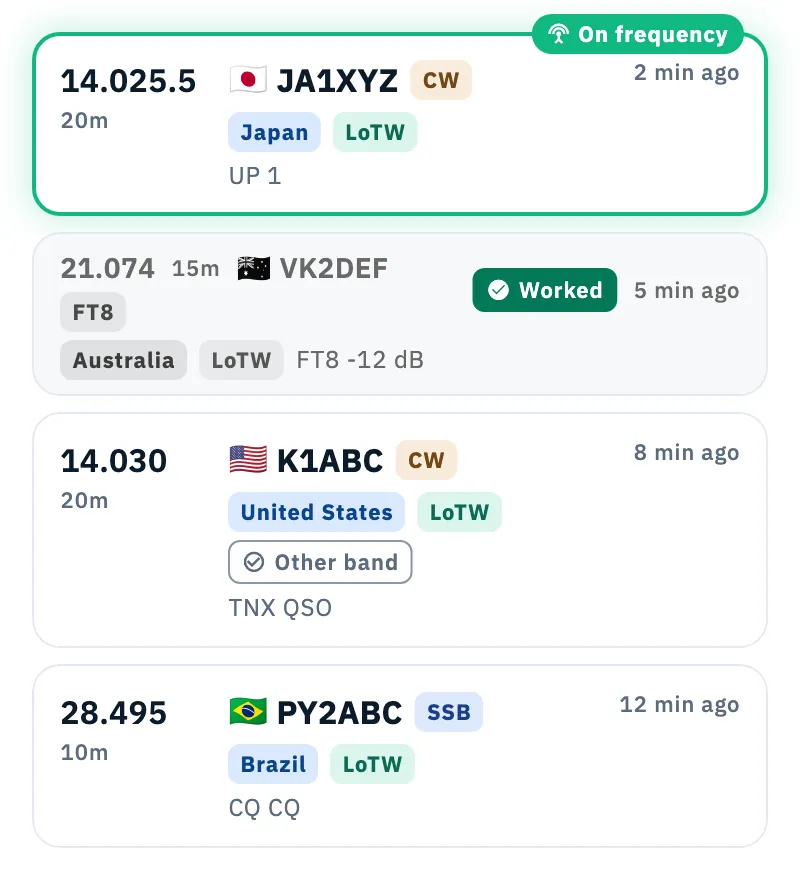
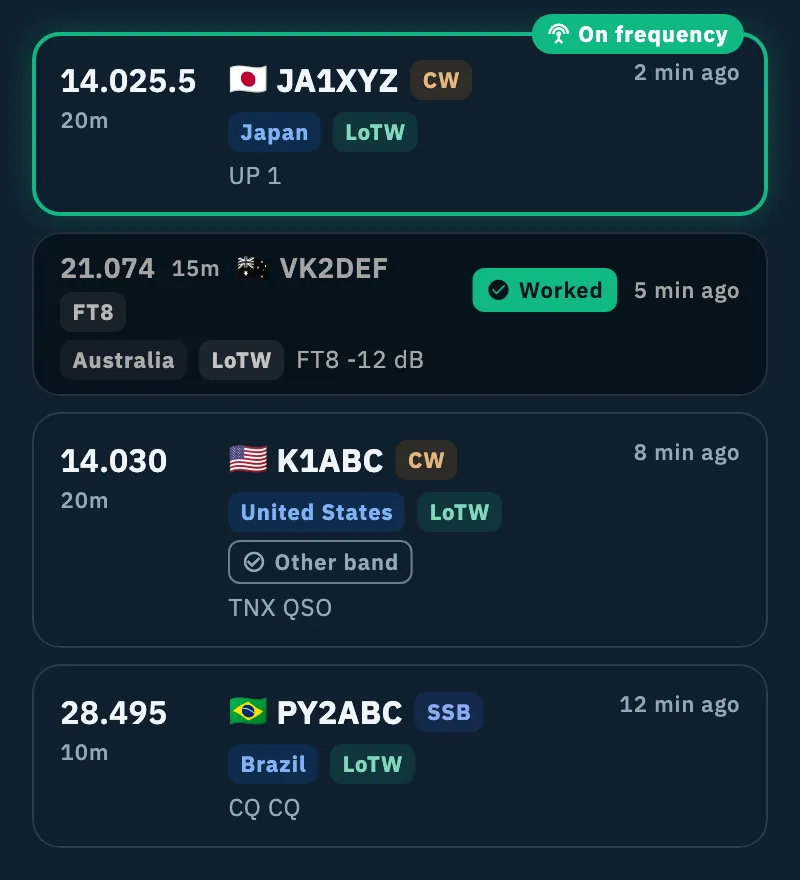
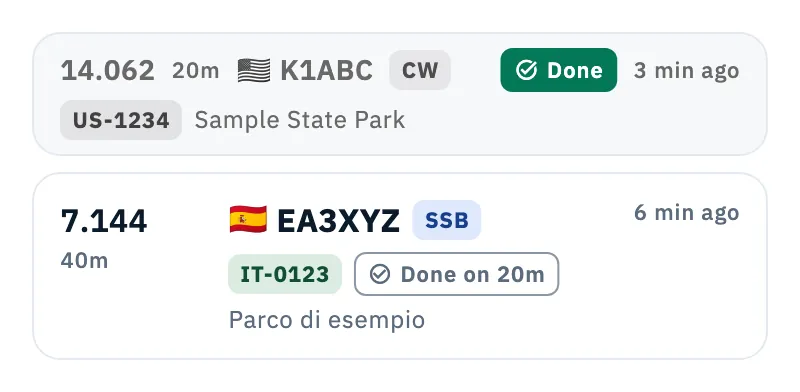
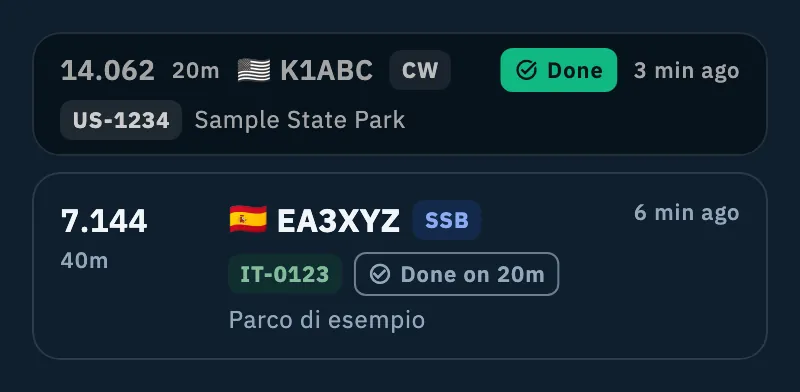
A spot you have nothing more to gain from stays in the list but becomes a compact grey card on two lines, with the badge filled in green. It is done when:
- all its references are Done on that band, or
- it has no reference and the station is Worked in the operation in use.
Without an operation in use no spot turns grey: with Worked today every station stays workable, and references do not count.
The grey card keeps the details of the spot: frequency, band, callsign, mode, how long ago, reference, badges and comment. Tap it to open the detail, like the others (see Opening a spot).
Spots of your callsign: «It's you»
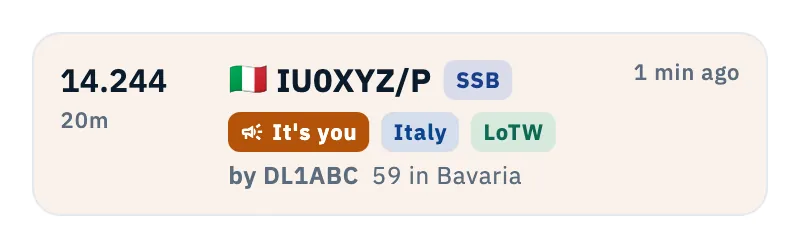
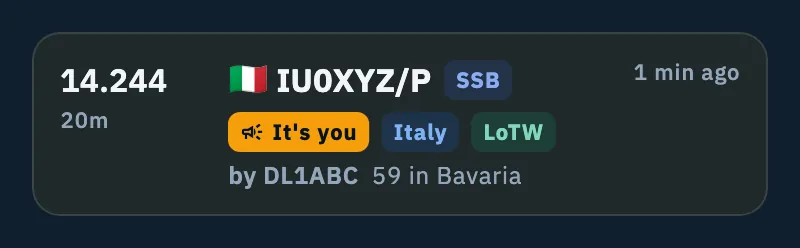
When someone spots your callsign, the spot gets the It's you badge with a megaphone and an amber veil, the color of Alerts. Before the comment you see who heard you, for example «by DL1ABC».
- Enter your callsign in your profile (see Your profile).
- Open DX or xOTA and look for It's you in the list.
HamQSO compares the base callsign, so it also recognizes IU0XYZ/P, IU0XYZ/M or EA8/IU0XYZ. Without a callsign in your profile no spot is «yours».
In the detail of your own spot there is nothing to log nor to be notified of: Log QSO and Notify me are not there. Re-spot, the button to tune the radio and the links to the web pages stay.
The spot your radio is on: «On frequency»
With a connected radio, the spot it is tuned to gets a green outline with a soft glow and the On frequency tag with an antenna (you can see it on JA1XYZ in the DX list above).
- Connect the radio (see Connecting your radio).
- Tune it: by hand, by tapping a spot or with the buttons of the radio bar (see Tuning the radio from spots).
- The spot you are on lights up in green; when you move, the outline goes to the new one or disappears.
The radio is «on» a spot when its frequency is close enough:
| Mode of the spot | Largest distance |
|---|---|
| CW | 0.5 kHz |
| SSB and other phone modes | 1.5 kHz |
| Digital and other modes | 1 kHz |
| AM and FM | 3 kHz |
| FT8, FT4, JS8 in their calling windows | 0.1 kHz from the calling frequency |
If several spots are that close, the nearest wins and, at the same distance, the most recent. Each list marks its own spot, also when the same station is in both DX and xOTA. The radio bar can also jump to the previous or next visible spot: see Tuning the radio from spots.
Phone, tablet and desktop
- Phone and tablet: each spot is a card; the spots already done are the two-line grey card.
- Desktop: each spot is one row; the row of a spot already done is faded and its badge stays outlined only. Spots of your callsign have the same amber veil, the spot your radio is on the same green outline.
Troubleshooting
I see no badge. A badge appears only when the station is in your log as described above. Without an operation in use only today's QSOs (UTC) count: a station worked yesterday has no badge. If the log is not available on the device, the lists show no badges.
I worked the park but I do not see «Done». References count only with an operation in use, only for the current UTC day and only on the spot's band: on another band you see Done on with the bands already done.
I worked the station but the spot is not grey. On a spot with a reference the reference counts, not the station. Without an operation in use no spot turns grey.
«It's you» does not appear. Check that your callsign is in your profile.
The spot does not turn green with the radio. The radio must be connected and its frequency within the distance of the table. For FT8, FT4 and JS8 in their calling windows the calling frequency counts, not the spot's: see also When the radio does not answer.