
Band activity widget
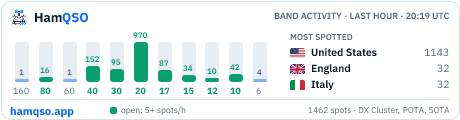
A free image for your QRZ.com page, blog or club website that shows how busy each HF band has been in the last hour, which bands are open and the three most spotted DXCC entities. It updates itself every ten minutes, like the solar widgets many operators already show.
Embed code
Pick a format and a theme, then copy the code. The image links to hamqso.app: please keep the link, it is how other operators find where the widget comes from.
Add it to your QRZ.com page
- Log in to QRZ.com and open your own callsign page.
- Choose to edit the page and open the biography editor.
- Switch the editor to its source view, the one that shows HTML instead of formatted text.
- Paste the HTML code from this page where the widget should appear, for example under your photo or next to your QSL information.
- Save the biography. The image shows straight away and refreshes itself every ten minutes, with nothing else to do.
If the editor removes the code, check that you pasted it in the source view: in the formatted view the code is shown as text instead of being run.
Formats
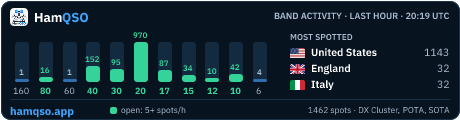
Banner 460 × 120 pixels, the width of a QRZ.com page column.
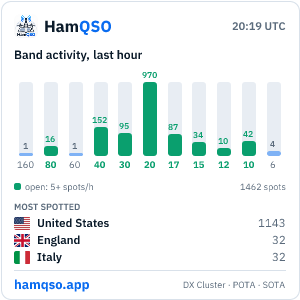
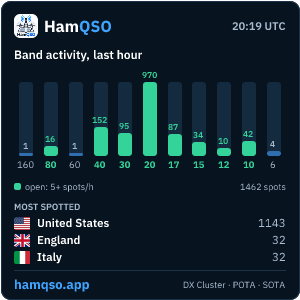
Square 300 × 300 pixels, for a blog sidebar or a club home page.
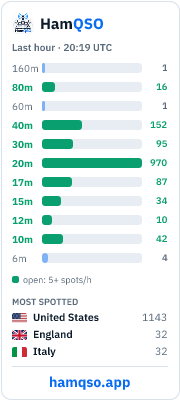
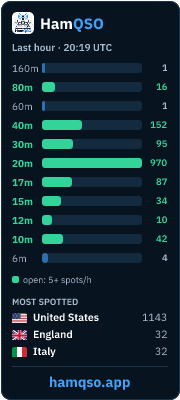
Tall 180 × 400 pixels, for a narrow side column.
On a blog or a club website
WordPress: add a Custom HTML block and paste the HTML code. Other site builders have an equivalent block, often called embed, HTML or code.
Forums that take BBCode, and most of them do, get the BBCode version. Where only an image address is accepted, use the address of the PNG on its own.
What it shows
- Bars for every band from 160 to 6 metres, with the number of spots each had in the last hour. A band with five spots or more is drawn in green and counted as open.
- The three DXCC entities with the most spots in the last hour, with their flags.
- The time of the data in UTC and the hamqso.app name.
Counts, never spots
The widget never shows a callsign or a frequency. The counts come from the DX Cluster, Parks on the Air and Summits on the Air feeds the HamQSO app reads, added up per band and per hour with no personal data. The same numbers, with a table and more detail, are on the band activity page.
Questions
How often does it update?
Every ten minutes. Browsers and QRZ.com may keep a copy for a few minutes more, so the time printed on the image is the one to trust.
PNG or SVG?
PNG works everywhere, QRZ.com included. SVG is sharper on high-resolution screens and lighter; use it where the site accepts SVG images.
Does it slow my page down?
The image weighs about 15 KB and is served from a cache, so a page with the widget loads as fast as one with a photo of the same size.
Does it cost anything?
No. Keep the link to hamqso.app around the image, as in the code above, and do not crop the name.