
Protecting your callsign
Find out when someone uses your callsign while you are not on the air, answer “It's me” or “It's not me” and keep the proofs for 12 months.
Free and ProUpdated for HamQSO 0.1.19
On this page
Callsign protection alerts you if your callsign, or a variant such as IU0XYZ/P, is heard while you are not on the air. With HamQSO Pro you see who heard it, from where and on which frequency, you answer whether it was you and you keep the proofs for 12 months. Without Pro you know how many alerts there were and when.
What HamQSO checks
HamQSO looks for the callsign of your profile in three sources: spots, RBN skimmers and PSKReporter (FT8 and FT4). The variants with a slash (IU0XYZ/P, IU0XYZ/M, EA3/IU0XYZ…) count as your callsign, and each one is checked on its own.
A use is suspicious when you are not on the air. For HamQSO you are on the air if:
- you logged a QSO in HamQSO within an hour of that use, or
- you have an announced operation in progress.
If you were only listening, or you log your QSOs with another logger, an alert can arrive even when it was you: in that case answer It's me. If the QSO reaches your log later (for example you log it or sync it afterwards), an alert you have not answered yet closes by itself. Spots you send yourself with your own callsign do not count.
The uses on the same band on the same UTC day end up in one alert: you get one notification, and the later uses are added to it.
The card in Alerts
- Open the Alerts tab.
- Under the When you get spotted card you find the Callsign protection card, with the shield.
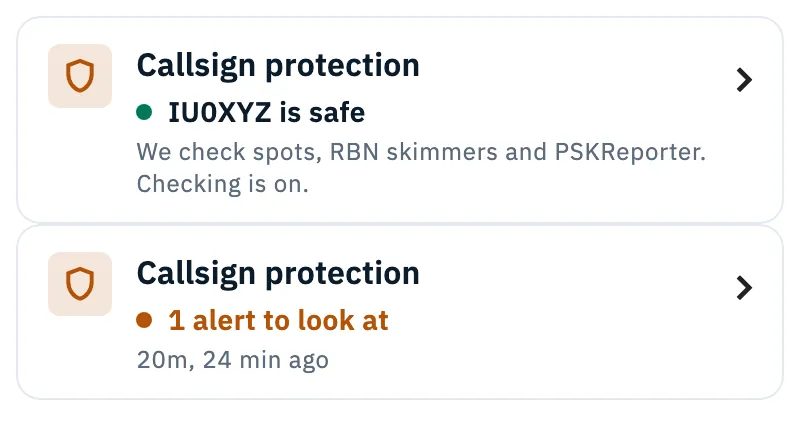
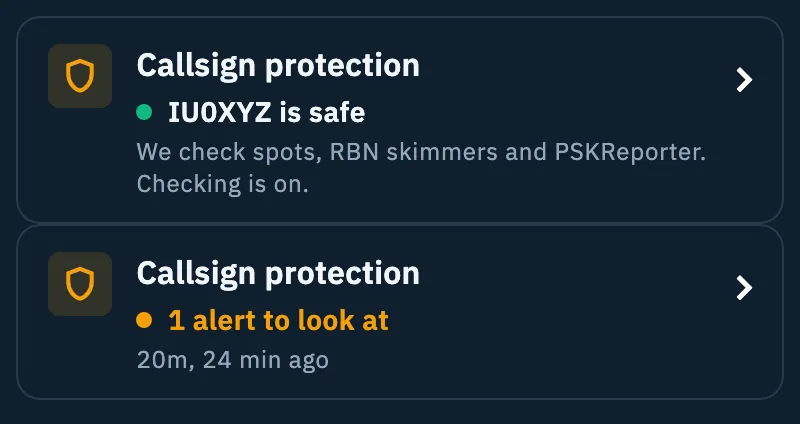
The card tells you in one line how your callsign is doing. Green when all is well, amber when there is something to look at.
| State | What the card says |
|---|---|
| Just turned on | The New label and “On from now, for IU0XYZ and its variants”, in the first hour after it was turned on if no alert has arrived yet. |
| Safe | Green dot, “IU0XYZ is safe” and “We check spots, RBN skimmers and PSKReporter. Checking is on.” |
| To look at | Amber dot, “1 alert to look at” (or “N alerts to look at”), the band and how long ago, and how many more alerts are waiting. |
| Paused | “Paused on 20m until 24:00 UTC”, after you answered It's me. |
| Checking stopped | “Checking stopped since … UTC” and “The spots server is not answering. It resumes by itself.”: one of the sources has been silent for more than 15 minutes. |
| Off | “We are not checking IU0XYZ and no notifications arrive. The proof log stays.” |
Tap the card to open the Callsign protection section (with Pro). Without Pro the tap opens the HamQSO Pro page (see “Without Pro” below).
When there is an alert you have not seen yet, an amber dot appears on the Alerts tab icon. It goes off when you open the section or the alert.
The Callsign protection section
- Open the Alerts tab.
- Tap the Callsign protection card.
On a phone a page opens, which you close with the back arrow. When the window is wide (tablet, web, computer) the section takes the place of Latest alerts in the right column: close it with the X at the top or with Esc.
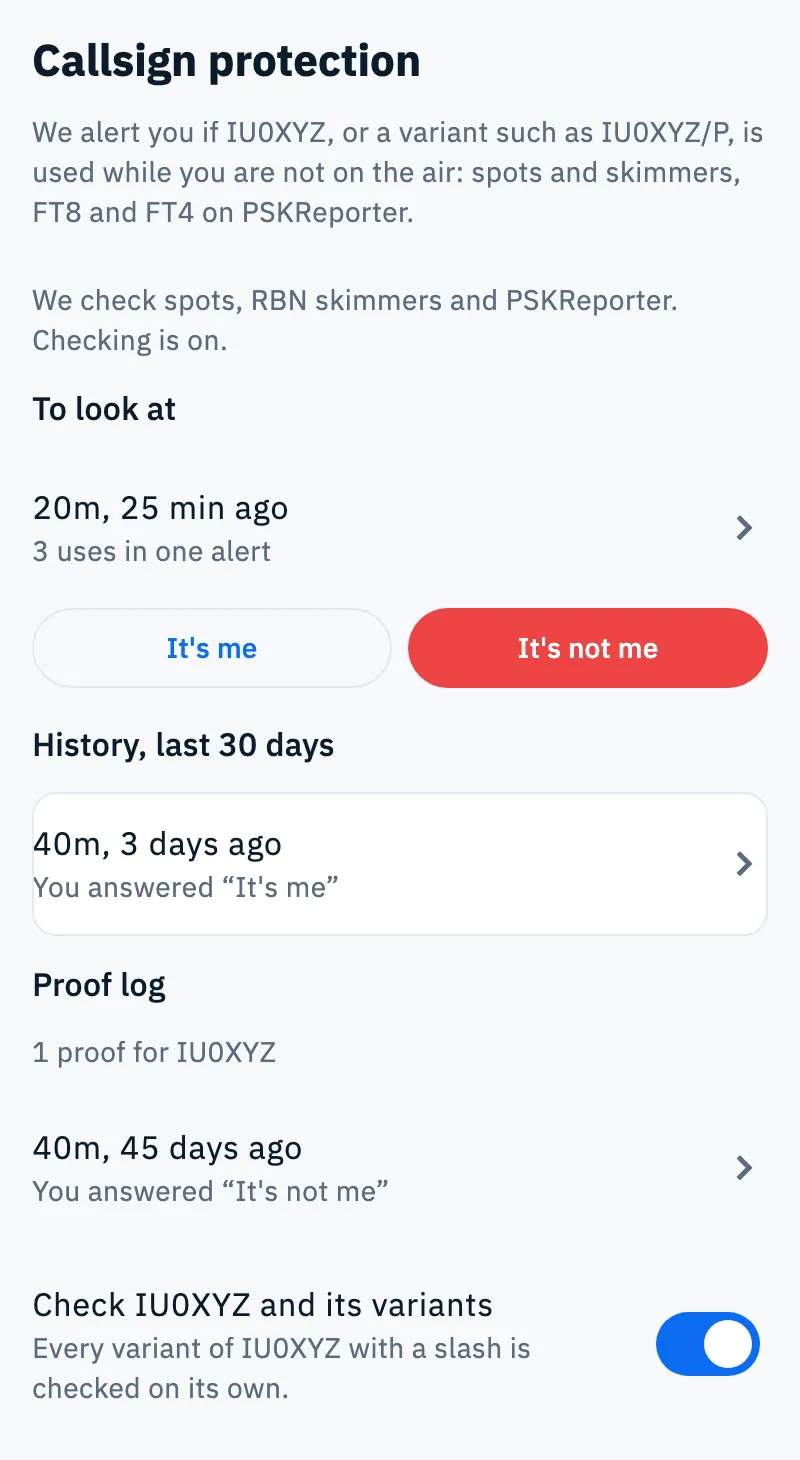
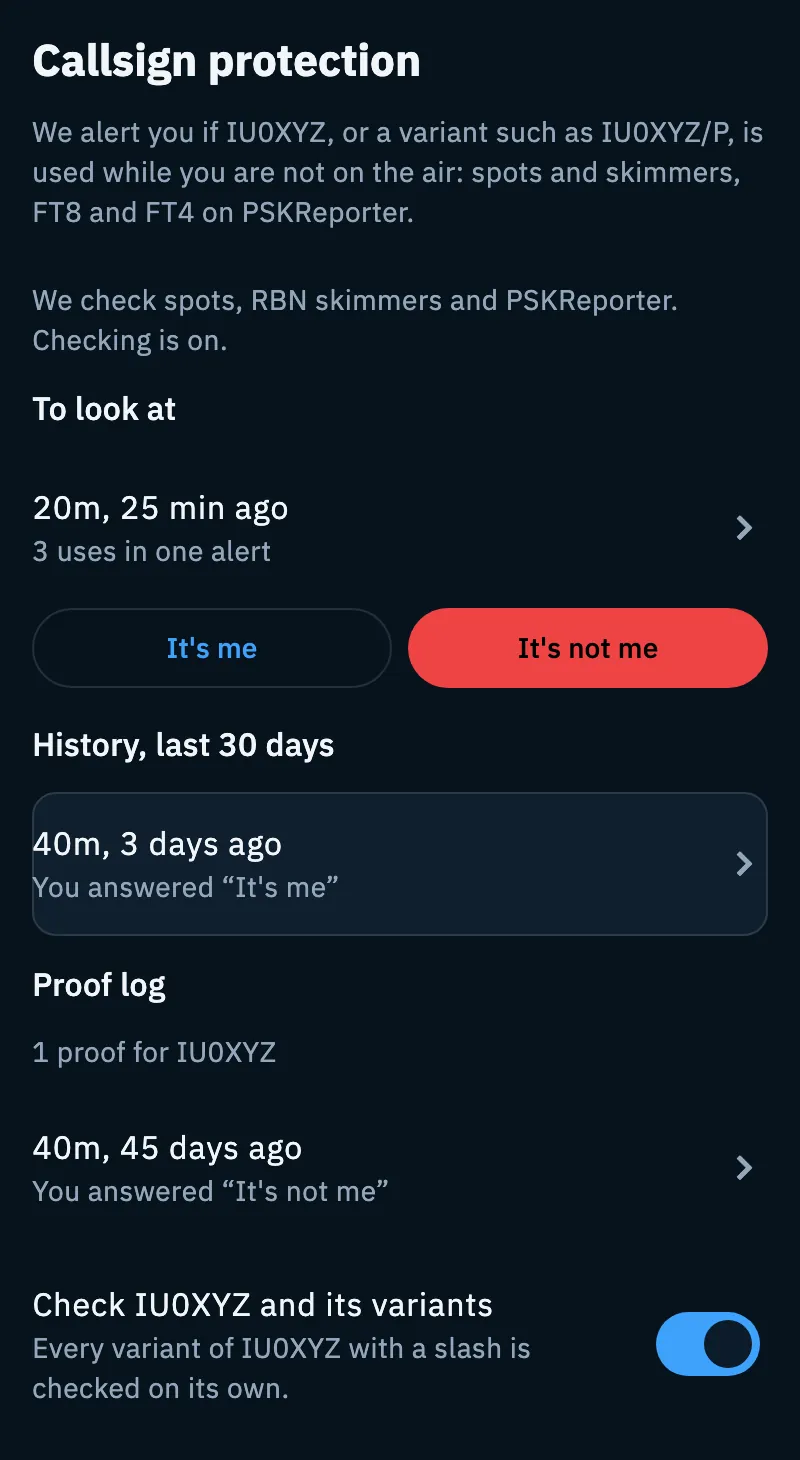
From the top you find:
- the explanation: “We alert you if IU0XYZ, or a variant such as IU0XYZ/P, is used while you are not on the air: spots and skimmers, FT8 and FT4 on PSKReporter.”;
- the state: “IU0XYZ is safe” in green, “On from now…”, “Checking stopped since … UTC” with the explanation, or the text of the protection turned off;
- To look at: the alerts you have not answered yet. Each shows the band, how long ago, how many uses it holds (“3 uses in one alert”) and the It's me and It's not me buttons. Tap the row to open the detail;
- the pauses running, for example “Paused on 20m until the end of the UTC day (24:00 UTC), because you answered “It's me”.”, with Resume;
- History, last 30 days: the alerts you already answered. If there are none you read “No closed alert in the last 30 days.”;
- Proof log (see below);
- the Check IU0XYZ and its variants switch, with the note “Every variant of IU0XYZ with a slash is checked on its own.”
Answering a suspicious use
- In To look at, or on the Suspicious use page under Was it you?, pick your answer.
- Tap It's me or It's not me.
| Answer | What happens |
|---|---|
| It's me | The alert closes and on that band we stop alerting you until the end of the UTC day (24:00 UTC), to avoid more false alarms. At the bottom you see “Closed. Paused on 20m until the end of the UTC day.” with Undo, which reopens the alert. |
| It's not me | The alert goes into the proof log with all its data, for 12 months. At the bottom you see “Saved in the proof log.” |
To lift a pause before 24:00 UTC, tap Resume in the section: the alert goes back to To look at, with no answer. The pause applies only to that band and to the current UTC day.
Picked the wrong answer? Open the alert from the History or the Proof log and tap Change to “It's not me” or Change to “It's me”. You can do it within 30 days of the day of the alert. An answered alert stays in the history for 30 days.
The detail of a suspicious use
Tap an alert in the section, or the notification of a suspicious use: the Suspicious use page opens.
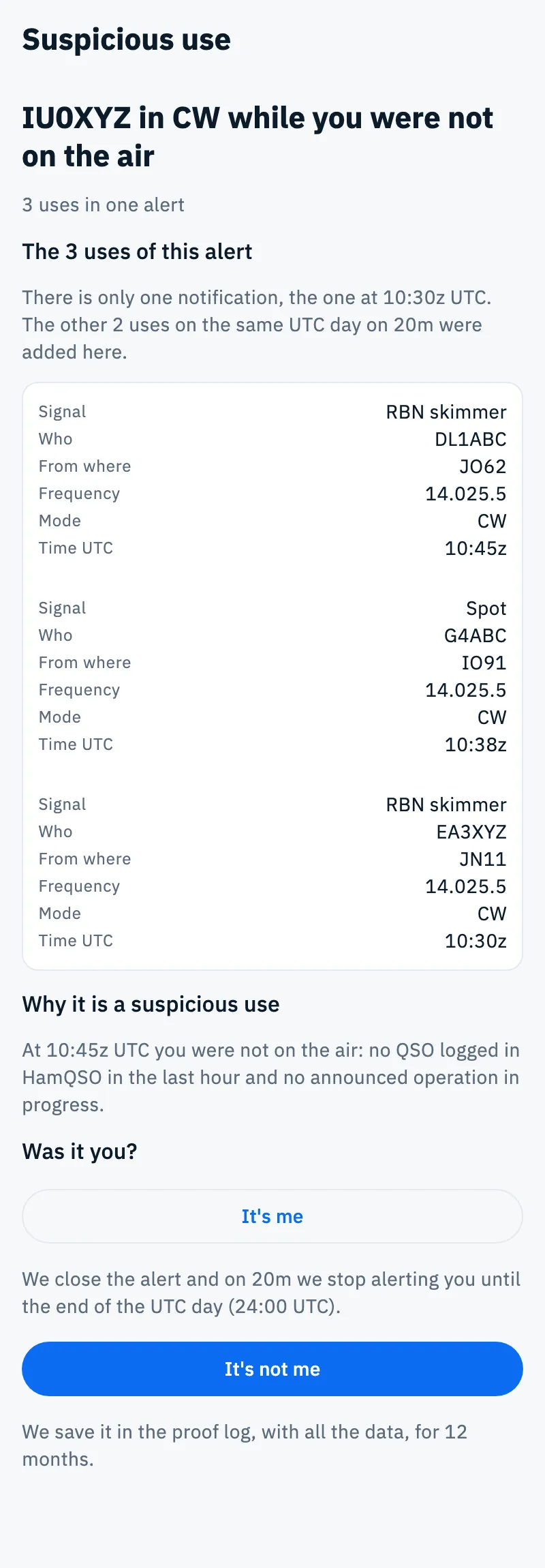
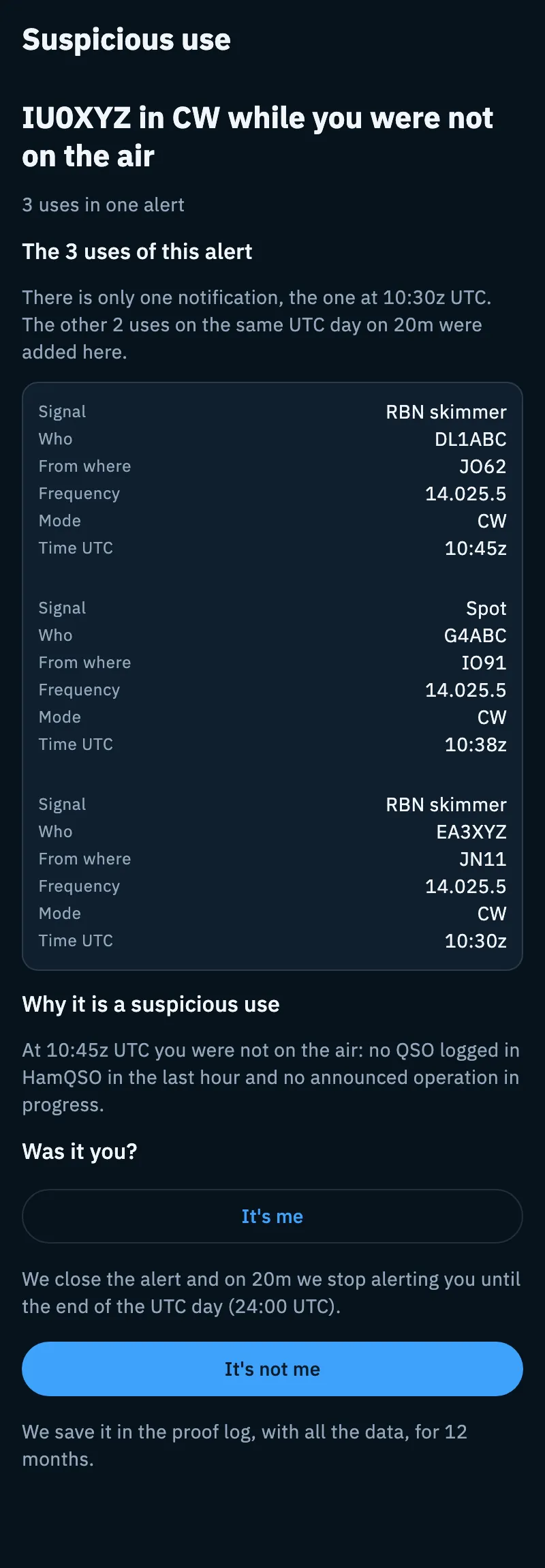
At the top you read “IU0XYZ heard while you were not on the air” or, when the newest use has a mode, for example “IU0XYZ in CW while you were not on the air”, and how many uses the alert holds.
Under The N uses of this alert each use shows:
| Row | What it says |
|---|---|
| Signal | Where it was heard: Spot, RBN skimmer or PSKReporter. |
| Who | The callsign of the station or skimmer that heard it. |
| From where | The locator of that station. |
| Frequency | The frequency, as the radio shows it (for example 14.025.5). |
| Mode | The mode, for example CW or FT8. |
| Time UTC | The time of the use. |
Rows the source does not send are left out. The 5 newest uses are shown: tap Show the other N (or Show the other one) for the rest. When there is more than one use, a note reminds you that there is only one notification and that the other uses on the same UTC day on the same band were added here.
Why it is a suspicious use gives the reason: at that time you were not on the air, no QSO logged in HamQSO in the last hour and no announced operation in progress.
At the bottom, under Was it you?, answer It's me or It's not me: a line under each button reminds you what happens. If you already answered you read “You answered “It's me”” or “You answered “It's not me”” with “It stays in the history for 30 days.” and, within 30 days of the day of the alert, the button to change your answer.
The proof log
In the section, under Proof log, you find the suspicious uses you answered It's not me to, with the original data as it arrived. Under the title you read how many there are, for example “1 proof for IU0XYZ”. Every proof stays 12 months, then deletes itself.
- Open the Callsign protection section.
- Scroll to Proof log.
- Tap an entry to see all its uses.
The proof log helps if you need to report someone using your callsign in your place: who heard it, from where, on which frequency and at what UTC time. It stays even if you turn the protection off. The app has no export of the proof log.
When it is empty you read “When you answer “It's not me” to a suspicious use, it comes here with all the original data and stays 12 months.”
Turning the check on and off
The check is on to begin with. With Pro you turn it off and on like this:
- Open the Callsign protection section.
- At the bottom, tap the Check IU0XYZ and its variants switch.
When it is off, HamQSO does not check your callsign and sends you no notifications; the proof log stays.
Notifications
| With Pro | Without Pro | |
|---|---|---|
| When it arrives | One notification per alert, that is per band and UTC day, about 15 minutes after the first use. Later uses send no more notifications. | At most one a week, only when there is a new alert, with no details. |
| What it opens | The Suspicious use page of that alert. | The section with the invitation to Pro. |
| How to turn it off | With the Check IU0XYZ and its variants switch. | With the Weekly notification switch in the section. |
If the app is open when a protection notification arrives, the card and the dot on the Alerts tab update at once. How to turn on notifications on your device is explained in Getting notifications.
Without Pro
Even without Pro HamQSO checks your callsign and tells you how many alerts there were and when. Who heard it and from where stay hidden behind dots.
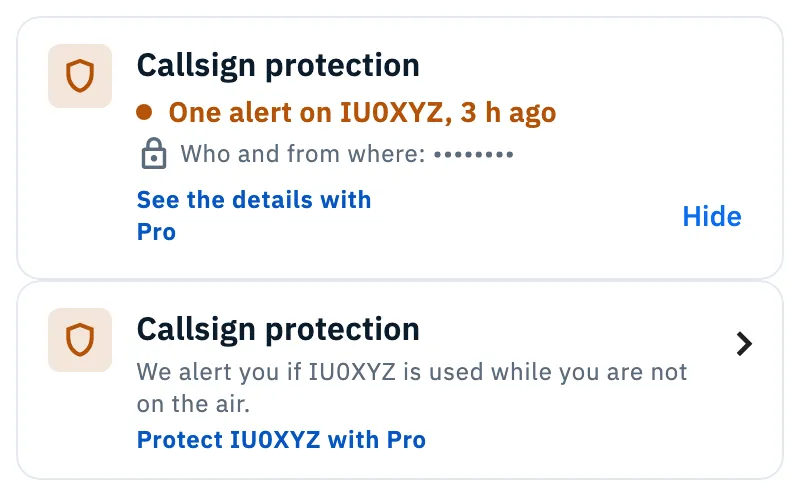
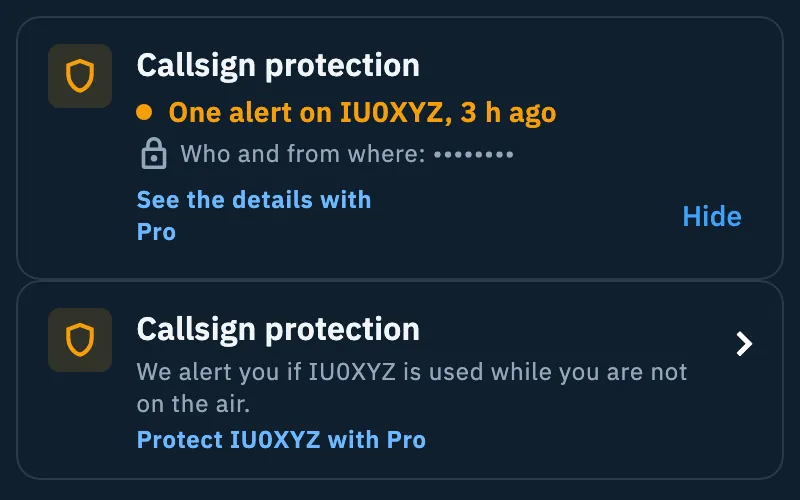
- If there was an alert in the last 7 days, the card turns amber: “One alert on IU0XYZ, 3 h ago”, then “Who and from where: ••••••••” and “See the details with Pro” (or “See who it was, N days free” when the store offers a free trial).
- Tap Hide to remove the amber card until the next alert. At the bottom you see “Hidden. It comes back with the next alert.” with Undo, for a few seconds.
- 7 days after the last alert the card that explains the feature comes back: “We alert you if IU0XYZ is used while you are not on the air.” and Protect IU0XYZ with Pro.
- Tapping the card opens the HamQSO Pro page.
The weekly notification opens the section: “One alert on IU0XYZ. Was it you?”, when it arrived, With Pro we alert you with the explanation, the Weekly notification switch (on to begin with) and the Protect IU0XYZ with Pro button.
Troubleshooting
I don't see the Callsign protection card. Check that your profile has a callsign and that you are online: the card appears only after the server has answered. Without Pro, if you tapped Hide, the amber card comes back with the next alert.
“Checking stopped since … UTC”. The spots server is not answering. Checking resumes by itself as soon as it is back; uses from that gap may be missing. You don't need to do anything.
I got an alert, but it was me. This happens if you were listening or use another logger. Answer It's me: on that band the check pauses until 24:00 UTC. Logging your QSOs in HamQSO avoids false alarms.
“Can't reach the service. Check your connection.” The answer or the switch was not saved: the switch goes back to how it was. Check your connection and try again. If the section does not load, tap Retry.
“You can no longer change this answer: more than 30 days have passed.” An answer can be changed only within 30 days of the day of the alert.
“We cannot load this alert.” The alert is gone: alerts not answered It's not me are deleted 30 days after their last use.
The Suspicious use page says “With Pro we alert you”. Your HamQSO Pro has ended: tap Protect IU0XYZ with Pro to get it back (see Managing your subscription).