
Links, addresses and web pages
Which hamqso.app links open the app and where, the addresses of HamQSO's pages on the web and the web pages that open inside the app.
FreeUpdated for HamQSO 0.1.19
On this page
HamQSO also opens from a link: a spot a friend sends you, an alert to create from the site, an invite. This page lists which links open the app and on which screen, the addresses of HamQSO's pages on the web, and the outside pages that open without leaving the app. Everything on this page is free.
hamqso.app links that open the app
Only links that start with hamqso.app/app/ open HamQSO. Every other address of the site (the manual, the guides, the privacy policy) stays in the browser.
- Tap the link where you received it: a chat, an email, a page of the site or a notification.
- On iPhone, iPad and Android, if HamQSO is installed, the app opens straight on the screen of the link. Without the app, the link stays on the site.
- If the app is already open, the link still works: the screen changes to the one of the link.
A page opened from a link sits on top of its section, so the back arrow always leads somewhere (from a spot's detail, for example, you go back to DX).
| Link | What it opens |
|---|---|
| hamqso.app/app/dx | The DX section |
| hamqso.app/app/xota | The xOTA section |
| hamqso.app/app/alerts | The Alerts section |
| hamqso.app/app/profile | The Profile section |
| hamqso.app/app/spot/dx, /pota, /sota, /wwff | The detail of a spot (see below) |
| hamqso.app/app/alerts/new | A new alert already filled in with the callsign, reference or country of the link (see Alerts from a spot or a link) |
| hamqso.app/app/pro | The HamQSO Pro window over DX; when the link names a feature (for example ?from=rig), the window talks about it (see Subscribing to HamQSO Pro) |
| hamqso.app/app/invite/… | A friend's invite, with its code (see Inviting friends and discounts) |
| hamqso.app/app/invite | The Invite friends page |
| hamqso.app/app/offer | The discount for HamQRG Pro subscribers |
| hamqso.app/app/propagation | Today's Propagation, over DX (see Reading propagation) |
| hamqso.app/app/coverage | The Coverage test, over Profile (see Running a coverage test) |
A hamqso.app/app/ link the app does not know, or a malformed one, opens the DX section.
The link of a spot
When you share a spot from its detail, the text ends with a hamqso.app/app/spot/… link (see Sharing a spot). Whoever taps it sees the detail of that spot: in the app if they have it, otherwise on the site.
The link carries:
- the callsign and the frequency in kHz;
- the mode, only when the spot states it: an estimated mode never goes in the link;
- the time of the spot (when it is missing, the app uses the time you open the link);
- the reference, for POTA, SOTA and WWFF;
- who spotted it and the comment, cut at 80 characters.
The app rebuilds the spot from these data and loads the rest of the detail by itself (see Opening a spot).
Page addresses on the web
On HamQSO on the web (app.hamqso.app) every section and almost every page has its own address in the browser's address bar.
- Open the page you need.
- Copy the address from the browser's address bar, or bookmark it.
- When you open it again, or reload the page, HamQSO opens it in its place, on top of its section: the back arrow takes you to the section.
Some addresses, as examples:
| Address | Page |
|---|---|
| /dx, /xota, /log, /alerts, /profile | The five sections: DX, xOTA, Log, Alerts, Profile |
| /log/operation/… | An operation open in the Log; with /qso/… also the chosen QSO |
| /dx/propagation | Propagation |
| /profile/station | My station |
| /profile/settings | Settings |
| /log/settings | Logbook settings |
| /log/settings/services | Linked services |
| /profile/contests | Contest calendar |
| /pro | The HamQSO Pro window, always over DX and never as a page of its own |
The browser's Back and Forward buttons work as in the app. A globe in full screen (for example the one of the spots or of the coverage test) adds a step to the history: the browser's Back closes it and you are back where you were.
Some pages need data that the address does not carry: from an address they open only their section.
- Feedback, a received eQSL card, a series or a model of the eQSL Shop open the Profile section.
- The xOTA map opens the xOTA section.
- The windows that pick references and operations open the Log section.
Old addresses still work and take you to the page in its new place:
| Old address | Takes you to |
|---|---|
| /propagation | /dx/propagation |
| /rig, /rig/setup, /rig/coverage | /profile/station, /profile/station/setup, /profile/station/coverage |
| /settings, /settings/interests | /profile/settings |
| /whats-new, /credits, /feedback | /profile/whats-new, /profile/credits, /profile/feedback |
| /credentials, /profile/credentials | /log/settings/services |
An address HamQSO does not know opens the DX section. For the differences between phone, tablet and web, see Phone, tablet and web.
Web pages inside the app
From a spot's detail, two buttons open a web page without leaving HamQSO:
- QRZ.com: the station's QRZ.com page (the base callsign, without prefixes and suffixes such as /P). It is on every spot: DX, POTA, SOTA and WWFF.
- Reference: the page of the park, summit or area on the program's site (POTA, SOTA or WWFF). It is only on the spots of a program.
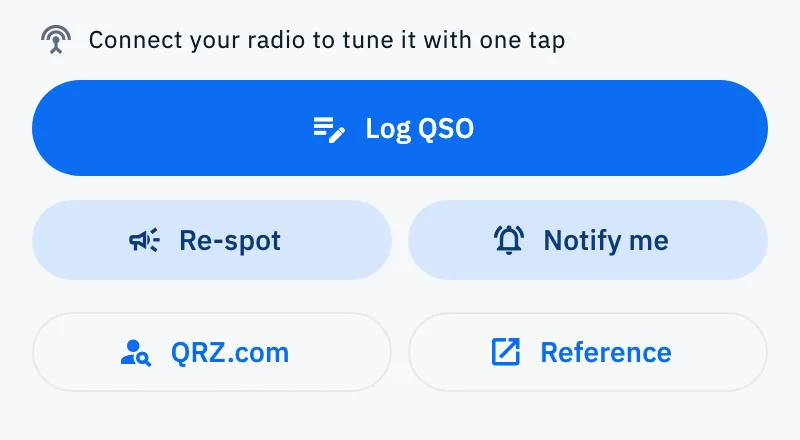
- Open a spot's detail from DX or xOTA.
- Tap QRZ.com or Reference.
- The page opens in a sheet that slides up from the bottom on a phone, in a window in the middle on a tablet and in large windows. At the top is the title (for example "QRZ.com, K1ABC" or the reference), and a thin line shows the loading.
- Scroll the page in the sheet. The sheet does not close by dragging it: dragging moves the page.
- Tap Open in browser (the arrow icon) to open the same page in your browser, or tap the X to close the sheet and go back to the spot.
Other links of the app open straight in the browser instead: a park's website in the POTA detail, the pages of a contest, the operator's profile in the section with their data in a spot's detail.
Troubleshooting
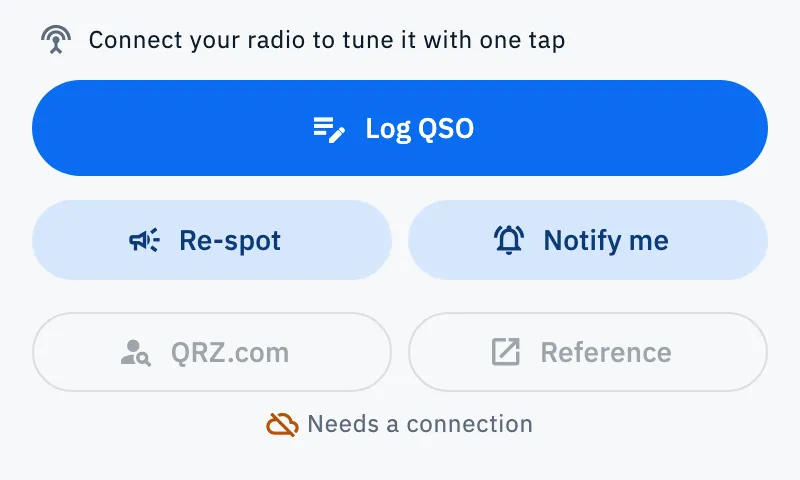
The QRZ.com and Reference buttons are off, with "Needs a connection" under them. Web pages need internet. When the network is back, the buttons turn on by themselves (see Using HamQSO offline).
The link opens the site, not the app. Only links that start with hamqso.app/app/ open the app, and only if HamQSO is installed on that phone or tablet. On a computer the link opens in the browser.
A spot's link opens the DX section. The link is incomplete: the callsign, the frequency or (for POTA, SOTA and WWFF) the reference is missing. Ask whoever sent it to share it again from the spot's detail.
The invite says "Invalid code". The code in the link is wrong or does not exist. As the app suggests: "Check the code, or ask the friend who invited you for the link again."
A saved address opens a different page. Some pages moved under their section: the old address takes you to the new one. Bookmark again the address you see now.