
Running a coverage test
Call a CQ in CW with your radio and see on the globe which Reverse Beacon Network skimmers hear you, with country, distance and signal.
Free and ProUpdated for HamQSO 0.1.19
On this page
The coverage test tells you how far your signal gets right now. The radio calls a CQ in CW with your callsign, then the app listens to the Reverse Beacon Network skimmers for one minute: whoever decodes you lights up on the globe, with country, distance and signal. Before transmitting the app checks that everything is ready, and nothing goes on the air without your confirmation.
This page follows the automatic test, where the radio transmits by itself over CAT. If your radio cannot do that, or you prefer your own key, see Coverage test without CAT. The final result is explained in Reading the test result.
Where to find the test
The coverage test has its own home, opened from several places:
- Profile: the Coverage test card or row, "Find out which countries you reach around the world".
- My station, the page of a radio: the How far do I get? Coverage test card, with "Coverage test with IC-705 and EFHW 40-10 m" (the radio and its preferred antenna).
- The radio panel, Tools section: the Coverage test card (see The radio panel).
- On the web and desktop: the Coverage test item in the sidebar.
- The link
hamqso.app/app/coverage(see Links, addresses and web pages).
On the first launch, the app's introduction shows the test in the Who hears you around the world card.
The card on the radio page and the one in the panel already say how the test will run with the radio in use:
| Line | When |
|---|---|
| "Automatic: your Icom IC-705 transmits by itself.", or "Automatic: the radio transmits by itself." when the model is not known | A radio set up over a USB cable with a model that keys CW over CAT, or a radio on rigctld that confirmed it takes CW text. |
| "Automatic if the radio allows it: we'll know when it connects." | A radio on rigctld not connected yet: rigctld tells when it connects. |
| "With your radio: manual test, you transmit." | A model that does not take CW text over CAT (according to Hamlib, for example the IC-7200 and the Xiegu radios), rigctld answering no, or flrig. |
| "Manual test: you transmit, even without CAT." | No radio with CAT set up. |
The card on the radio page also shows "Last: …" with the main number and the date of your last saved test. If you are not Pro and have no saved test yet, it shows "Your first test, free" or, after the free test, "Run the test again".
The home of the test
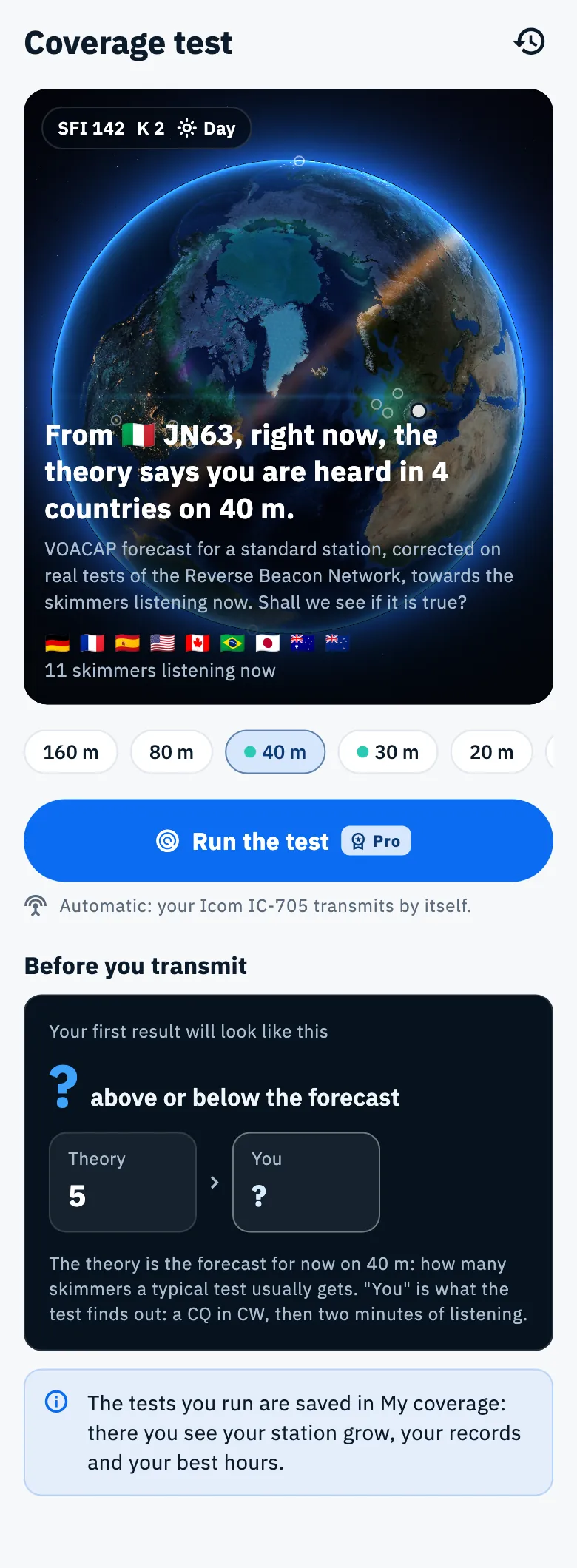
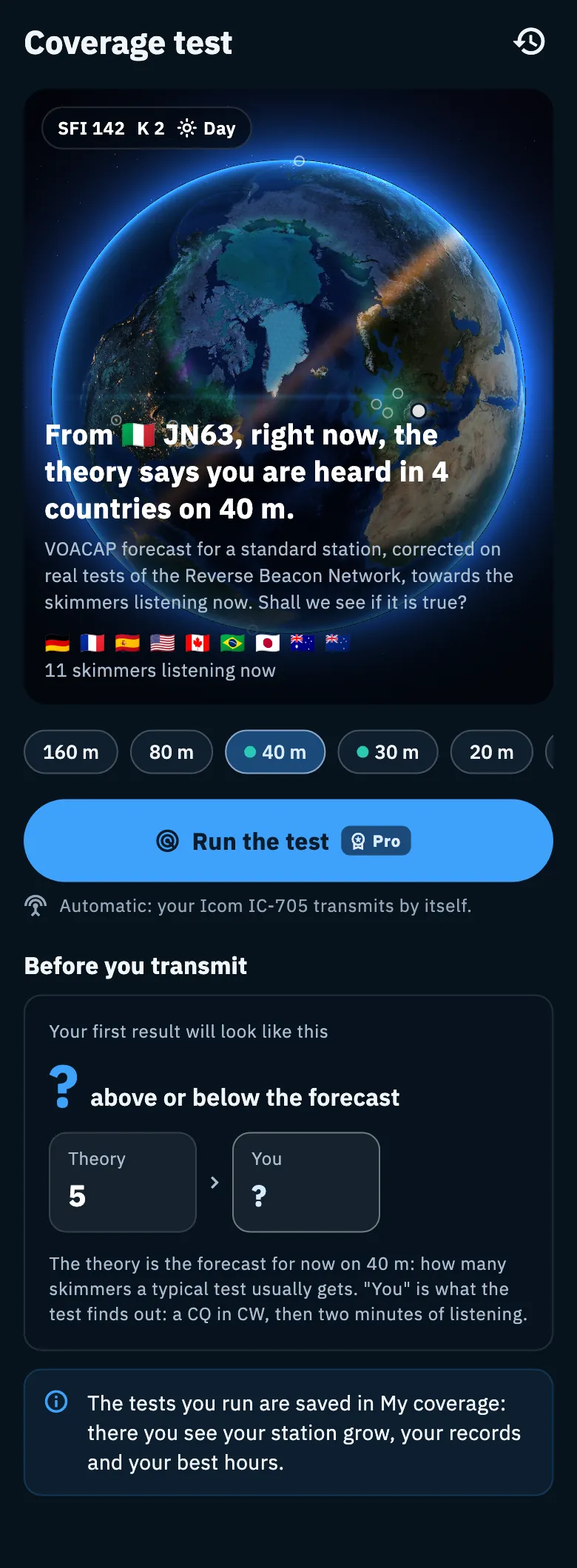
- Choose the band by tapping a chip: 160, 80, 40, 30, 20, 17, 15, 12 and 10 m. The 20 m is selected when the home opens.
- Look at the globe and at the line under Run the test: it tells you whether the test will be automatic or manual (the same sentences as in the table above).
- Tap Run the test.
The test is CW only, on HF from 160 to 10 m: 60 m is not included.
The globe of now
The globe starts from your location and shows the Reverse Beacon Network skimmers listening right now on the chosen band, with the flags of their countries. A chip on the globe gives the solar flux (SFI), the K index and the moment at your location: Day, Night or Grey line.
The sentence under the globe depends on the band:
- On 40 and 30 m (the chips with the dot) you also see the forecast: a haze on the globe where the theory gives the band open, and the sentence "From JN63, right now, the theory says you are heard in 4 countries on 40 m.". A country counts when its probability reaches at least 50%. The line below says where the forecast comes from and ends with "Shall we see if it is true?".
- On the other bands the forecast is not shown: you see how many "skimmers listening now", the sentence "On 20 m the forecast is not shown: you see who is listening." and, when you have at least 3 tests on that band, "On 20 m usually … skimmers hear you: the median of your last … tests.".
The forecast of now is asked when you open the home, when you change band, every 15 minutes while the home is on screen and when the network comes back.
Where you transmit from
The test starts from your locator: the one of the operation in progress, otherwise the one of your profile (see Your profile: name, callsign and locator). If there is none, the Where do you transmit from? card appears: "Without your location there is no forecast: the globe shows only the skimmers listening now."
- Tap Use my location and allow location access, or
- tap Type the locator, type a 4 or 6 character locator in the Locator field (for example JN63 or JN63GW) and confirm with OK or Enter.
The location chosen here is for the test and does not change the locator of your profile. You can still correct it before saving a test (see Saving and sharing a test).
Under the button
- Until you have saved tests: the Before you transmit section with the Your first result will look like this card. On 40 and 30 m it shows "? above or below the forecast" with the level of the theory; on the other bands "? skimmers heard you" against how many are listening. Below: "The tests you run are saved in My coverage: there you see your station grow, your records and your best hours."
- When you have saved tests: The last test, Your tests (the three before the last one, newest first), See all … tests, the Records (the farthest, most above the forecast, most skimmers in one test, the first time on a continent) and the My coverage and Compare buttons (Compare with at least two tests). See My coverage and comparing tests.
On a phone and a tablet the Your tests icon at the top opens the saved tests.
The checks before transmitting
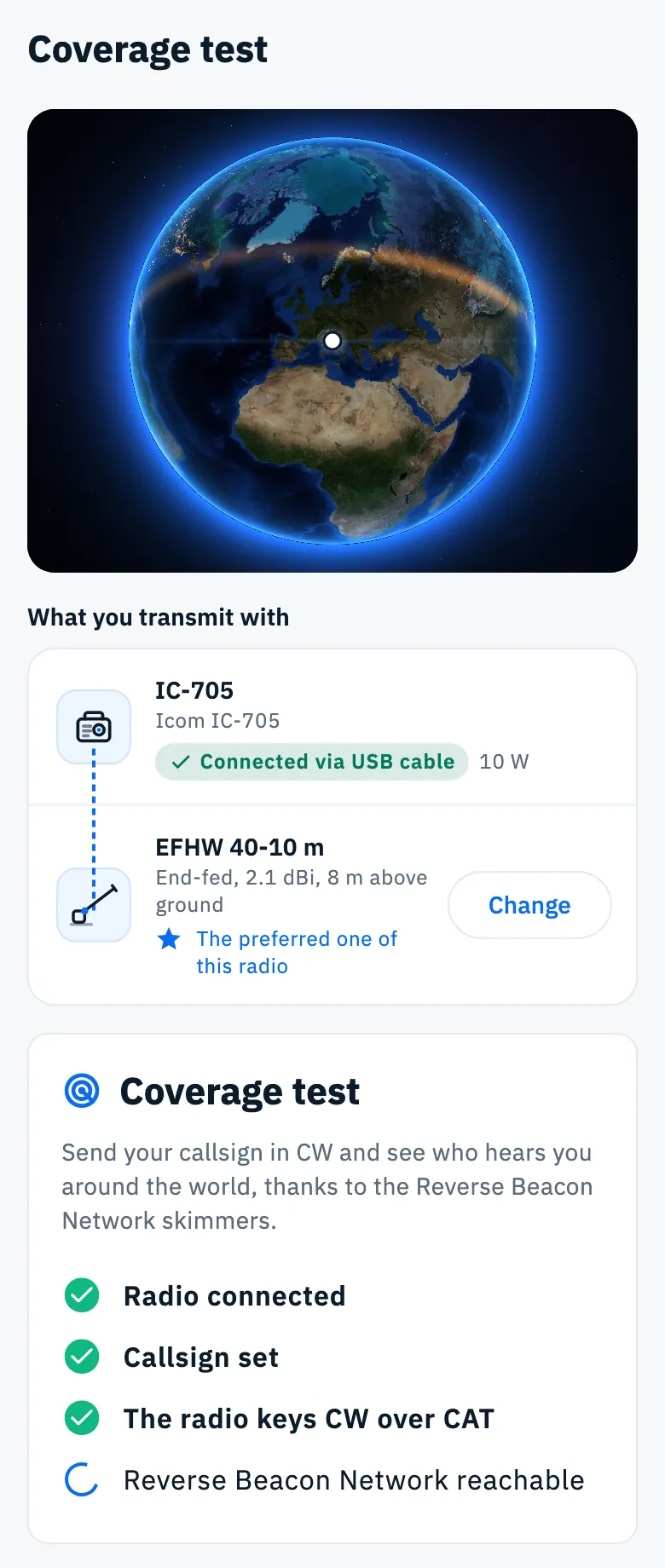
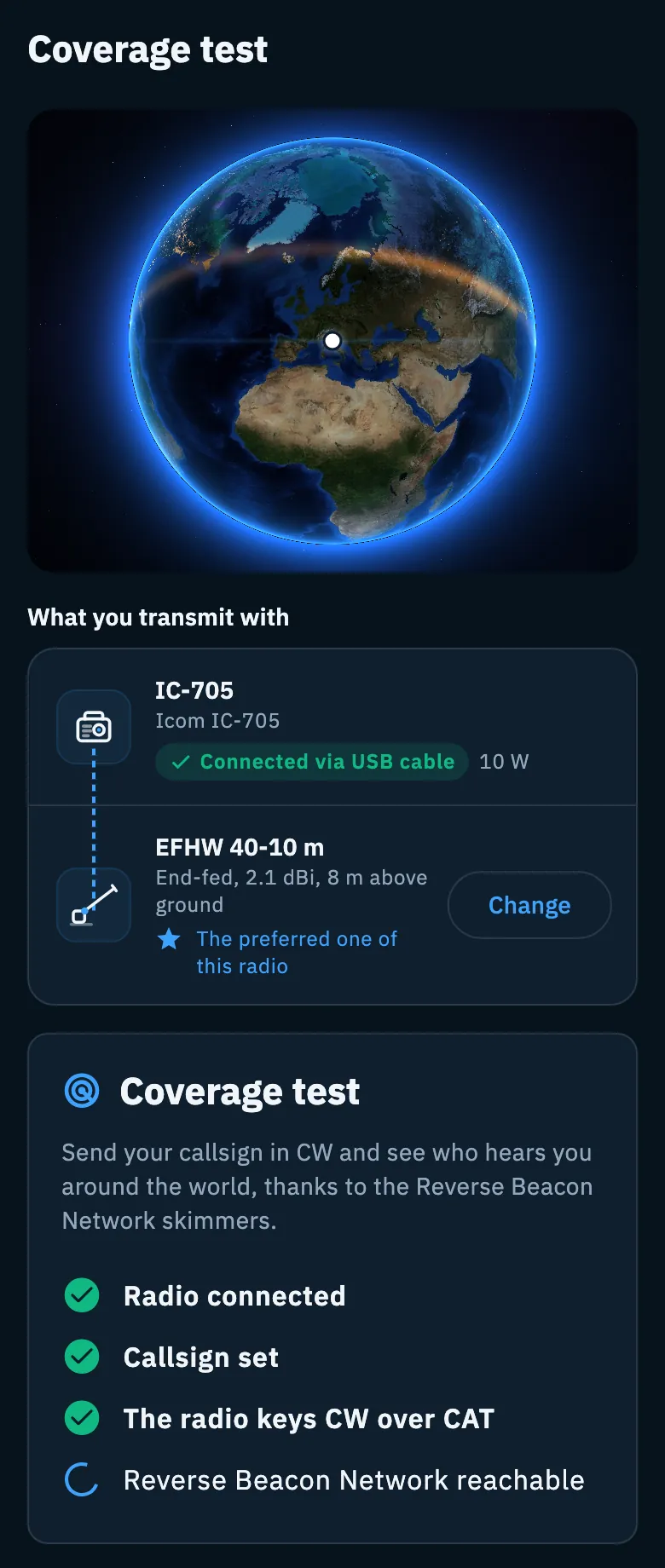
After Run the test the Coverage test page opens: "Send your callsign in CW and see who hears you around the world, thanks to the Reverse Beacon Network skimmers." The app runs four checks, one after the other. No check makes the radio transmit.
| Check | If it fails | What you can do |
|---|---|---|
| Radio connected | "Connect your radio to go on.", or "Connect the radio for the automatic test, or do the test in manual mode: you transmit and the app listens for who hears you." | Connect your radio opens the guide to connect it (see Connecting your radio), or Manual test. |
| Callsign set | "Your callsign is needed: it is what you send." | Set your callsign opens the profile on the callsign field. Without a callsign there is no manual test either. |
| The radio keys CW over CAT | "Your … does not take CW text over CAT (according to Hamlib)…", "rigctld says your radio does not take CW text over CAT…", "The radio does not take CW text over CAT on this link…" or "Sending CW through flrig is not there yet: connect the radio over USB or rigctld, or do the test in manual mode." | Manual test; with flrig also My radio, which opens My station. When the radio is not connected this check is skipped (grey mark). |
| Reverse Beacon Network reachable | "Without internet the skimmers cannot answer: I won't transmit." | Retry when the network is back. |
When you come back from a fix, the checks run again by themselves with the new values. Manual test appears when only the radio or its CW is missing: see Coverage test without CAT.
What you transmit with
Above the checks and the preparation there is the What you transmit with card: the radio in use and the antenna, joined by a wire.
- The radio shows its name, its model, "Connected via …" when connected, and its power in watts.
- The antenna is at first the radio's preferred one, marked "The preferred one of this radio", with type, gain in dBi and height above ground.
- Tap Change (or Choose, when there is no antenna) to pick another one or create a new one (see Adding an antenna). Without an antenna the card asks "Which antenna are you using?": it is "Optional.".
The antenna chosen applies to every test on this page and is saved with the test. If it is marked Receive only the card says so: "Transmitting with an unsuitable antenna can give a poor result and strain the final amplifier. Check the SWR before starting. The test stays available." Without a radio in use the card does not appear.
Get ready to transmit
When the checks are green, the Get ready to transmit card appears.
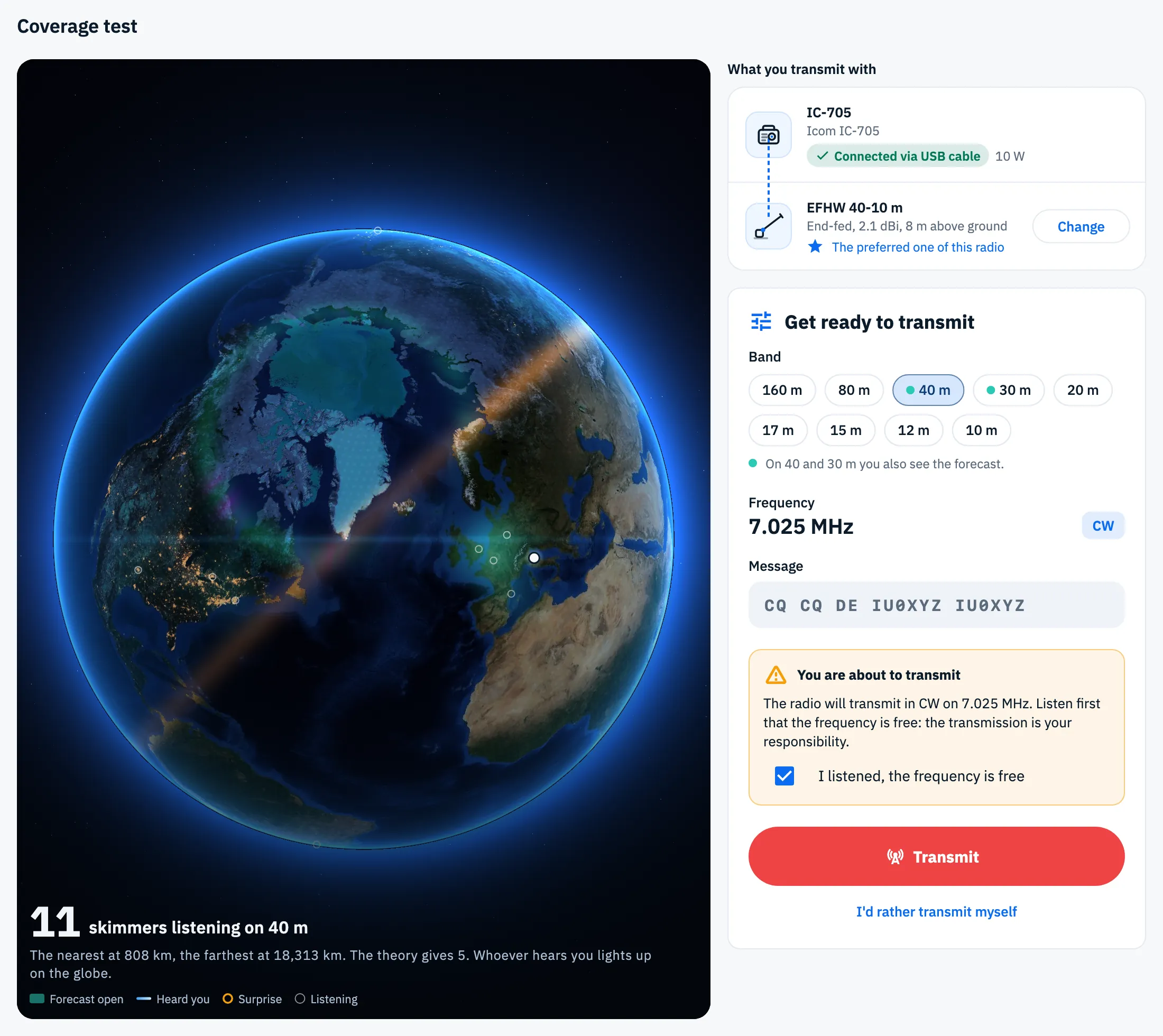
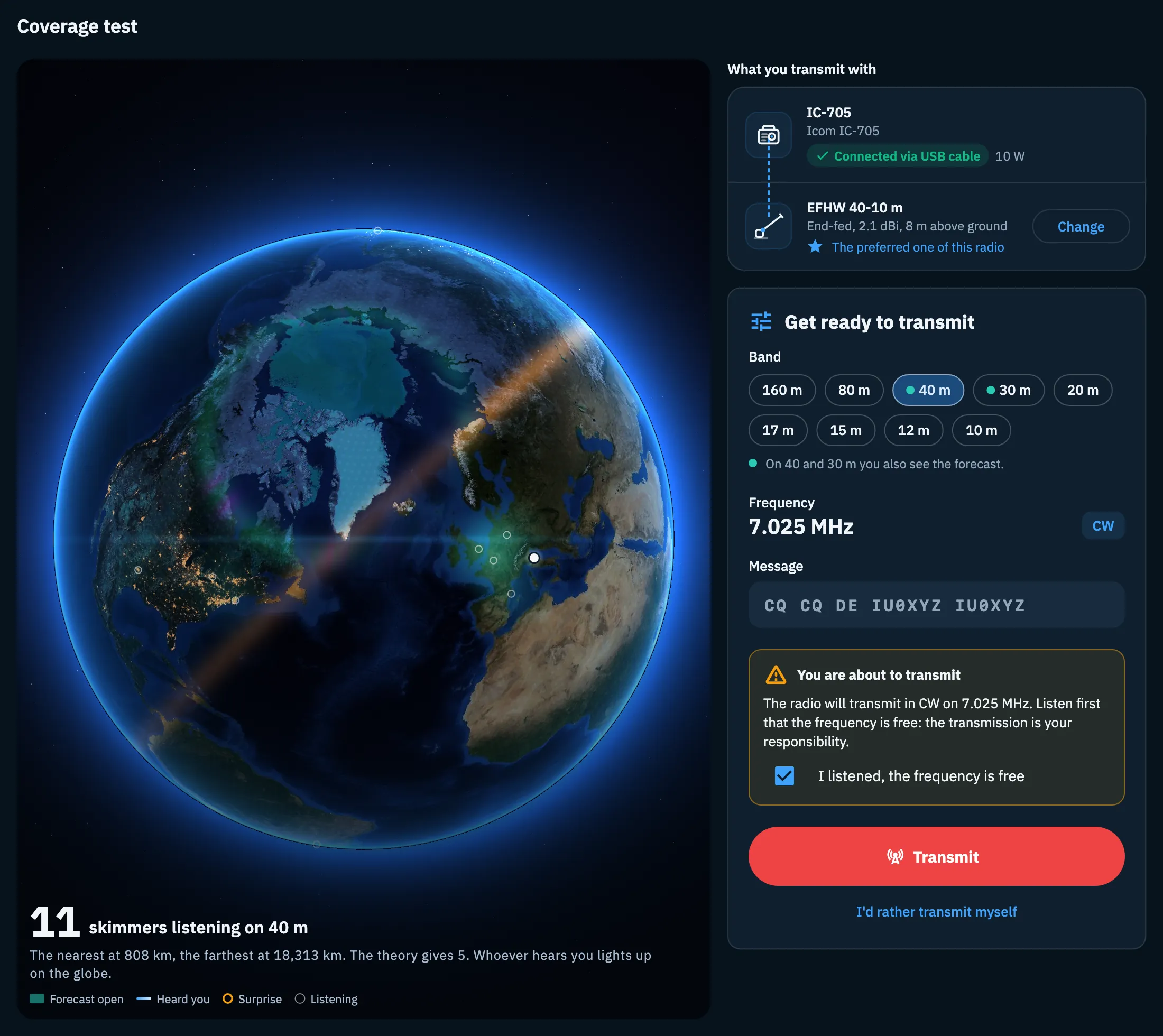
- Under Band the band chosen on the home is already selected. If you choose another one, the radio moves at once to its test frequency in CW, so you can listen before transmitting: the radio only tunes, nothing goes on the air.
- Check Frequency and Message: the message is always "CQ CQ DE IU0XYZ IU0XYZ", CQ twice and your callsign twice, so the skimmers recognise it.
- Read the You are about to transmit warning: "The radio will transmit in CW on 7.025 MHz. Listen first that the frequency is free: the transmission is your responsibility."
- Listen to the frequency and tick I listened, the frequency is free.
- Tap the red Transmit button.
Transmit stays off until you tick the confirmation, and if you change band the confirmation must be given again. I'd rather transmit myself switches to the manual test.
The test frequencies, all in the CW part of the band in every IARU region:
| Band | Frequency |
|---|---|
| 160 m | 1.822 MHz |
| 80 m | 3.530 MHz |
| 40 m | 7.025 MHz |
| 30 m | 10.115 MHz |
| 20 m | 14.045 MHz |
| 17 m | 18.075 MHz |
| 15 m | 21.045 MHz |
| 12 m | 24.900 MHz |
| 10 m | 28.045 MHz |
If the radio is already in the CW part of the chosen band, the test uses the radio's frequency.
On the globe, before transmitting, you see how many skimmers are listening: "11 skimmers listening on 40 m", "The nearest at …, the farthest at ….", on 40 and 30 m "The theory gives …" and "Whoever hears you lights up on the globe.".
On the air
Once you tap Transmit, the app checks once more that the Reverse Beacon Network answers (if it does not, you go back to the checks and nothing goes on the air), starts listening, and the radio sends the CQ at 22 WPM: with IU0XYZ it takes about 14 seconds.
- The Transmitting title and "The radio is sending the CQ on 7.025 MHz. The skimmers are already listening."
- The message as a paper tape: the characters already sent, the one on the air highlighted with its dots and dashes.
- The time elapsed, the length of the CQ at 22 WPM and the line with band, frequency and radio ("40 m CW, 7.025 MHz, Icom IC-705").
- On the globe the On air pill and your station lighting up at every dot and dash.
To interrupt, tap Stop: "Stop takes the radio off the air at once." If no skimmer has heard you yet you go back to Get ready to transmit with "Transmission stopped": "The radio is off the air and the test is not saved. Start again when you like." If someone has already heard you, the test ends and you see the result. Leaving the page also stops the CW and the listening.
While the radio is transmitting, a tap on a spot does not move it: the app says "Radio is transmitting".
Listening to the skimmers
When the CQ is over, the app listens to the Reverse Beacon Network for one minute (the skimmers were already listening during the CQ).
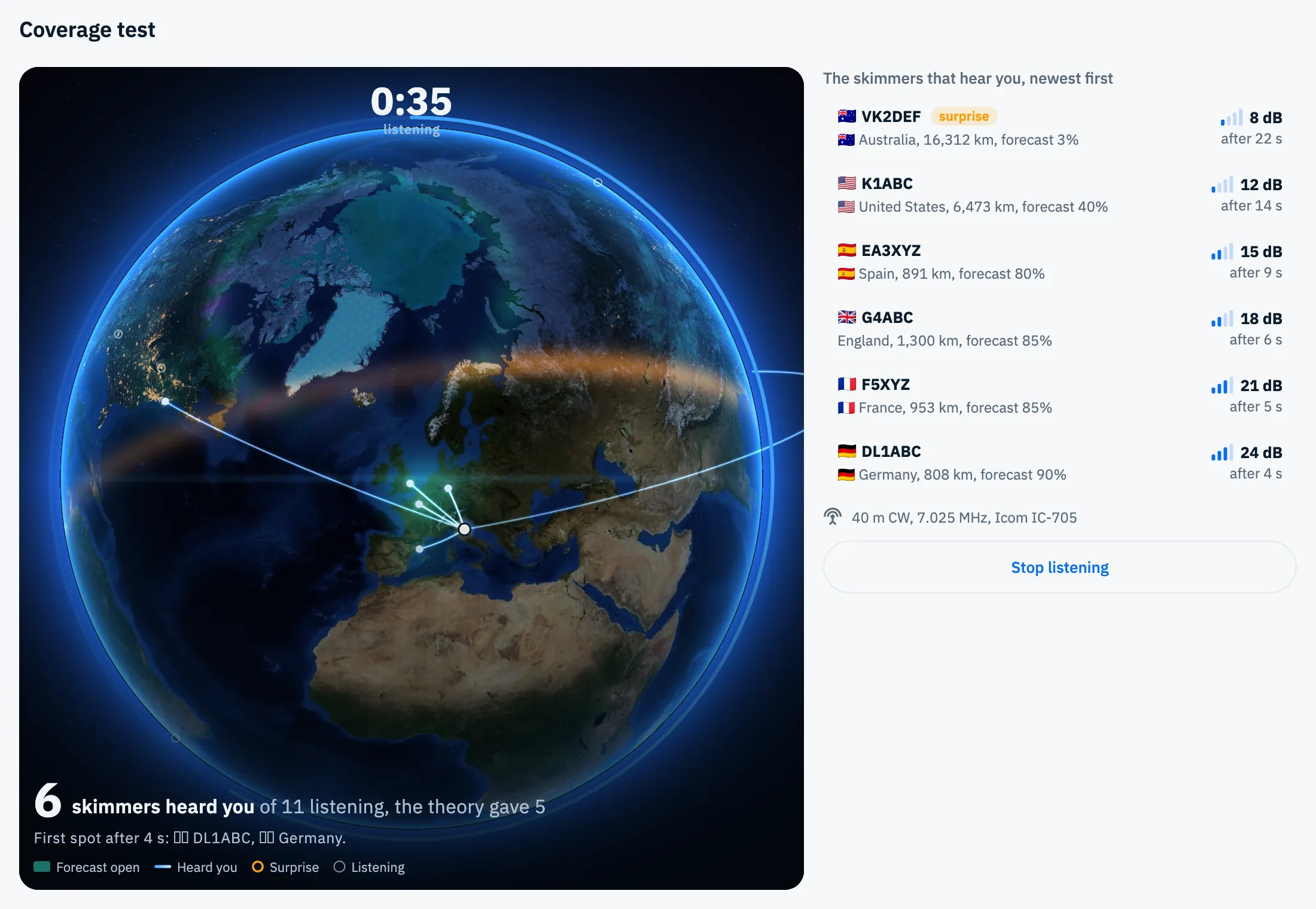
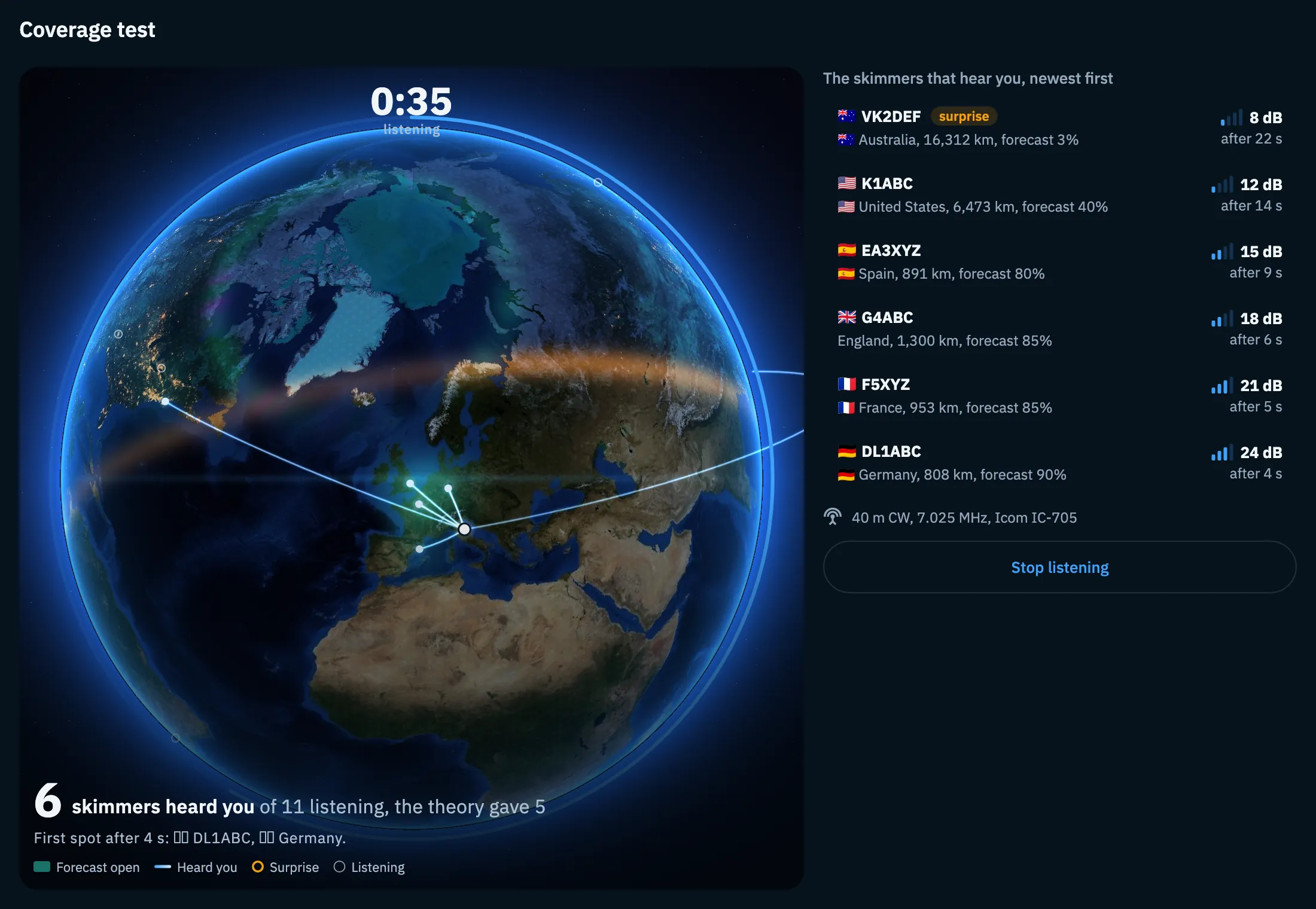
- In the middle of the globe, the time ring with "listening".
- At the bottom the count goes up: "6 skimmers heard you of 11 listening", on 40 and 30 m with "the theory gave …", on the other bands with "usually …" when you have at least 3 tests on the band.
- "First spot after … s" with the callsign and country of the first skimmer.
- The list The skimmers that hear you, newest first: for each one the flag, callsign, country, distance, how likely the theory gave it ("forecast 85%", on 40 and 30 m only), four signal bars with the dB and "after … s" from the start of the CQ.
- surprise marks a skimmer that heard you where the theory gave less than 5%.
Each skimmer counts once, with its best signal. Only the Reverse Beacon Network skimmers, which decode CW, are shown: stations listening to you by ear do not appear.
Tap Stop listening to end early. At the end you read "The listening is over. The result compares who heard you with the forecast of this moment." and tap See the result. With reduced motion on, the result appears at once. To read, save and share it, see Reading the test result and Saving and sharing a test.
Free and Pro
Phone, tablet and computer
- Phone: one column. On the home, the globe at the top and below it the chips, the button and the sections; in the test, the globe on top, smaller during the checks and the preparation, and the cards below.
- Tablet, web and desktop: the globe fills the height on the left and a column on the right scrolls with the controls.
- Web and desktop: the top bar has no Your tests icon (use the column or the H key). These shortcuts work (Esc and Space work with any keyboard attached):
| Key | Where | What it does |
|---|---|---|
| T | Test home | Run the test |
| H | Test home | Opens My coverage |
| 1–9 | Test home | Chooses the band, in the order of the chips |
| Esc or Space | On the air and listening | Stop the test |
The shortcuts of the manual test, of My coverage and of Compare are in Keyboard shortcuts.
Troubleshooting
- "You are offline: without internet nobody can tell you who hears you. You can run the test again when the network is back." Run the test is off: without a network the skimmers cannot answer. Try again when you are online.
- "The forecast is not available right now: the test runs anyway and the forecast comes later." You can run the test: the comparison with the forecast comes later.
- "I cannot read your location: type the locator." The GPS did not answer or location access is denied: tap Type the locator.
- "Type a 4 or 6 character locator, for example JN45 or JN45ON." The locator you typed is not valid.
- A check is red. Read the message under the checks and use the fix button (see the table of the checks). If the radio does not answer, see When the radio does not answer.
- "The radio did not transmit. Check it can go to CW and try again." Sending the CW to the radio failed and you are back at Get ready to transmit. Check that the radio can go to CW and tap Transmit again, or use the manual test.
- "The Reverse Beacon Network does not answer: some results may be missing." The link to the skimmers dropped during the listening: the test goes on with the spots received.
- "No spots yet: they usually come within a minute." Wait for the end of the listening. If nobody hears you, the result suggests another band, more power or another time of day.